Here’s a detailed list of what we’ll need to provide us so that we can produce your video magazine:
As we prepare to create a compelling video magazine that showcases your success and expertise in real estate, there are several key materials I’ll need from you. These assets will ensure we effectively illustrate your brand and highlight your team's achievements.
In some cases, you may have already sent this material, so there will be no need to send it again. However, to make your magazine visually interesting, we suggest you provide us with as much of this material as possible.
Step 1: Choose a client and provide us with the background information we need for an interview
To get this program started, use one of the two links below to provide us with a brief giving us the information we need to complete a video interview with your client and the second link to book a time for that interview:
Click this link to provide information for a Sales story
Click this link to provide information for a Property Management story
Step 2: Please phone the client you would like us to interview and book a time with them
When you're filling in the booking form below, make sure you include your client's first name, last name, email address, and mobile number. As soon as the appointment is booked, they will receive a text message confirming their interview time with me, and an email with the link and all the details I need to complete the interview
Step 3: Please provide the following artwork
Please note: We need you to rename your images and Videos before you send them to us.
To ensure your video magazine is produced accurately, professionally, and without errors, it’s important that every image and video you send is clearly labelled. When files are left with default names like IMG_4721 or VID_8392, it slows things down and increases the risk of using the wrong content in the wrong place.
When you send through your photos or video clips, please take a moment to rename each file so we can clearly identify them. Instead of leaving the default camera name, use simple, descriptive words that tell us exactly what we’re looking at.
For example, use names like “Bill_Smith_Interview.jpg”, “Office_Exterior_Day.mp4”, or “Kitchen_Renovation_Before.png”.
If there are multiple files of the same thing, add a number on the end (e.g. “Living_Room_1.jpg”, “Living_Room_2.jpg”).
This simple step helps us stay organised, speeds up production, and most importantly, ensures your final video magazine is accurate and error-free.
Why High-Resolution Images Are Important
To make sure your magazine looks sharp, clear, and professional—especially if it’s printed - we need high-resolution images. Low-quality images might look okay on a phone, but when they’re enlarged for print, they often appear blurry, pixelated, or washed out, which affects the overall quality of your magazine.
When sending images, please provide high-resolution files (minimum 1MB, ideally 2MB or more). The best option is to send the original photo straight from your phone or camera. This gives us the highest possible quality to work with and ensures your images look their best in both digital and printed formats.
Please avoid sending screenshots, images copied from websites, or photos downloaded from social media, as these are usually compressed and too low-quality for professional use.
Taking this simple step helps us produce a magazine you’ll be proud to share, with images that look crisp, clean, and truly represent your business at its best.
1. High-Resolution Images: (minimum 1–2MB per image, or at least 3000 pixels wide)
- Staff Members Featured: High-res photos of the team
- Office Environment: High-res images of your office to visually represent your professional space.
- Principal/Branch Manager: A high-res photograph for inclusion in the magazine
3. Client Testimonials:
- Written testimonials from other clients who can share their positive experiences and why they believe this salesperson excels in real estate.
- Additional Photos: Any high-res images that clients may have shared with you, which could be included alongside their testimonials.
4. Branding Materials:
- Company Logo: A high-res version of your logo for branding purposes in the magazine and video.
- Additional Photographs: Any other images you believe could enhance the presentation, such as team photos, awards, community events or images of properties that would help us showcase the type of properties you look after for your clients.
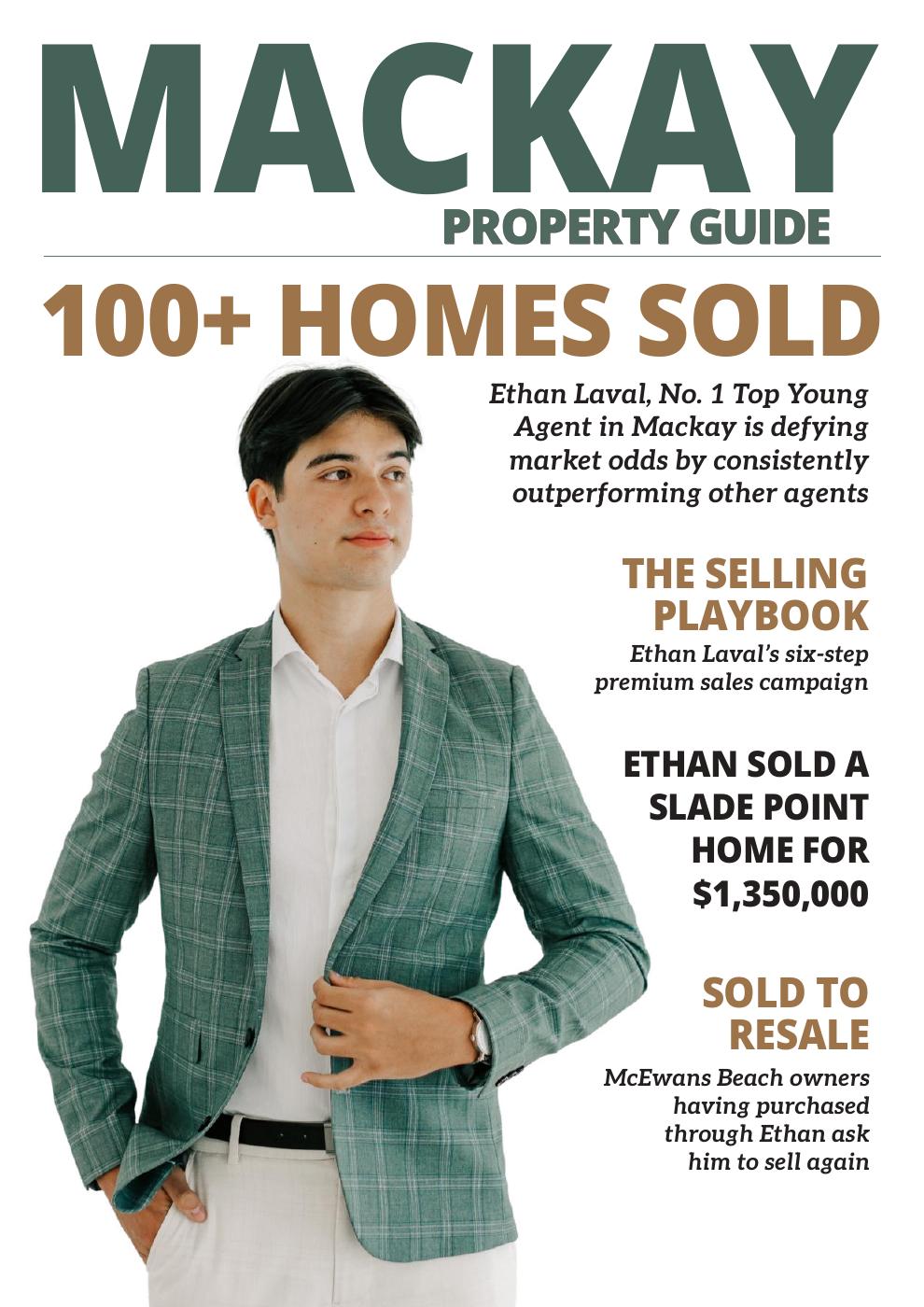
To view the magazine example mentioned in the video, please click on the image below.
Copyright 2026 Newsletter House Pty Ltd